

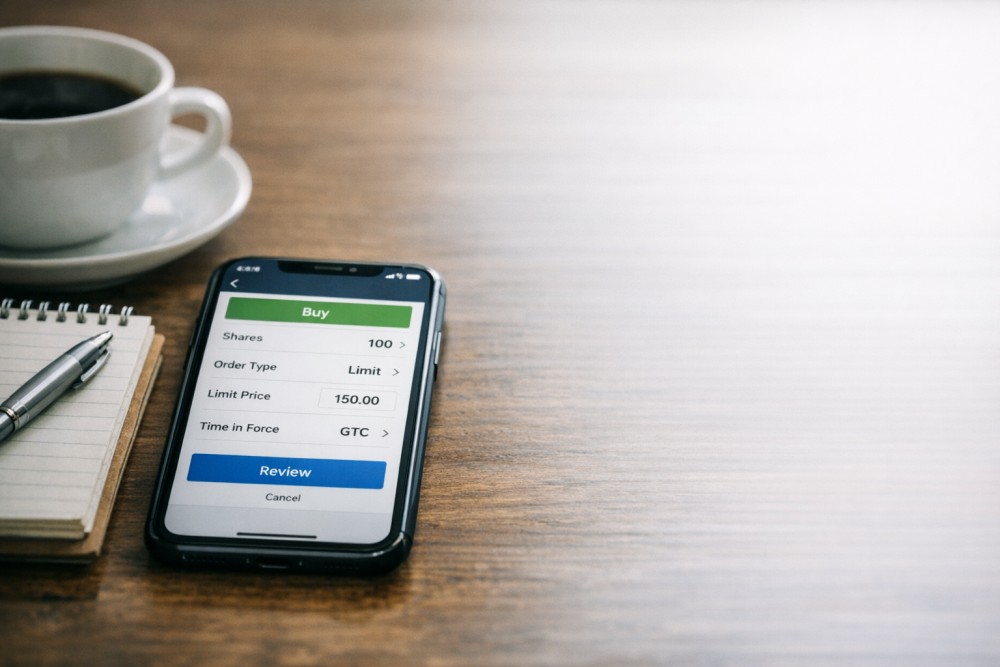
Most US stock trades for a long-term investor work fine with a market order. The stock is liquid, the spread is tight, and the difference between the bid you saw and the fill is one cent or less. Trouble starts when you trade volatile names, when you trade outside regular market hours, or when you place a large order in a thin name.
Market orders quietly cost you 50 to 200 basis points per trade in those conditions. Limit orders are the fix. They take a few extra seconds to set up and most of the time cost nothing in upside missed. The trade-off is that occasionally an order will not execute.
For most retail investors trading NVIDIA (NVDA), Tesla (TSLA), or any small-cap, limit orders should be the default.
When Limit Orders Are Mandatory
Three conditions make limit orders non-negotiable.
- Volatile stocks during regular hours: any stock with implied volatility above 40 percent is moving fast enough that a market order during a fast move can fill 50 cents to 2 dollars off the snapshot price. NVDA, TSLA, and most small-cap biotech qualify.
- Pre-market and after-hours sessions: liquidity is thin, the bid-ask spread can be 5 to 10 times wider than during regular hours, and even megacap names can show 50-cent spreads at 4:30 PM ET.
- Any low-volume name: thin trading produces wide spreads and wider slippage, regardless of the time of day. The full mechanics of slippage are explained in our slippage primer.
When Market Orders Are Fine
Market orders work well for liquid megacap names during regular hours: Apple (AAPL), Microsoft, JPMorgan, Procter & Gamble. The bid-ask spread on these names is typically 1 cent, and slippage is negligible.
They also work fine for small lot sizes (under 100 shares) where price impact is irrelevant. The general rule is: if you would not notice a 5-cent slippage, market orders are fine.
Beyond that, default to limit. The full comparison between order types is in our limit-vs-market guide, and the SEC's plain-language definition of limit orders is in Investor.gov.
Setting the Right Limit Price
The most common mistake is setting the price too aggressively. If you want to buy NVDA at the current ask of $130, setting your limit at $129.50 risks no fill if NVDA moves up first.
Simple rule: set buy limits 1 to 5 cents above the current ask and sell limits 1 to 5 cents below the current bid. For larger orders (over $10,000), break into 3 to 5 tranches at slightly different limits, walking the order up or down. This is scaled order entry, what every institutional desk does by default.
Stop-Limit vs Stop-Market
If you use stop-loss orders, the same principle applies. A pure stop-market order triggers a market sell when the stop price is hit. The problem is that during a fast crash, the market sell can execute 5 to 10 percent below the stop.
A stop-limit order triggers a limit sell when the stop price is hit, with a separate limit price that protects you from extreme slippage.
The trade-off: in a true crash, the stop-limit may not execute at all, and you ride the position down further. The right configuration depends on your conviction.
For names you would not mind holding longer, stop-limit is the safer choice. For names you genuinely want out at any reasonable price, stop-market is appropriate.
Common Pitfalls With Limit Orders
The biggest pitfall is forgetting to cancel a limit order. If you set a buy limit at $128 on NVDA and the stock drops to $128 a week later when you have changed your mind, the order will fill anyway.
Always set good-til-canceled orders only when you genuinely want the trade to execute at that level. The second pitfall is setting limit orders too far from the current price. A buy limit 10 percent below the current price is essentially a wish, not a trade plan.
The third pitfall is using limit orders during fast-moving news (earnings releases, FOMC meetings). When a stock gaps 5 percent in a second, your limit order will either fill at a price you do not want or not fill at all. Use stop-limit, not buy-limit, in those conditions.
Conclusion
Limit orders cost you a few seconds of setup and almost nothing in opportunity cost. They protect you from the 50 to 200 basis points of slippage that market orders quietly take from you on volatile or low-volume names.
Make limit orders your default, save market orders for liquid megacaps in regular hours, and use stop-limit instead of stop-market when downside protection matters more than guaranteed execution.
Open the order entry screen in the Gotrade app on a position you actually plan to enter or exit, and switch from market to limit before you place the trade.
FAQ
Should I always use limit orders?
For volatile names, low-volume names, and extended-hours trading, yes. For liquid megacaps in regular hours, market orders are fine.
What is the right offset for a limit price?
Set buy limits 1 to 5 cents above the current ask and sell limits 1 to 5 cents below the current bid. That gives near-market fill probability with much better slippage protection.
What happens if my limit order does not execute?
The order stays open until canceled or until the market reaches your limit price. Always review open orders weekly to avoid stale fills.
Are stop-limit and stop-market the same?
No. Stop-market triggers a market sell at the stop price (risking large slippage). Stop-limit triggers a limit sell, protecting from extreme slippage but risking no fill.